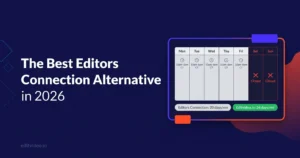

Video Husky markets itself on "unlimited" video editing — but buried in the fine print are hours caps, file size limits, weekday-only schedules, and a pricing ladder that climbs fast. This is a straight comparison of what you actually get at each price point, and why more creators are switching to Editvideo.io.
Pricing — What You Actually Pay
Video Husky's pricing looks straightforward until you read the asterisks. Here's what each plan costs and what it realistically delivers for a creator publishing 2–3 videos per week on YouTube.
| Editvideo.io Ultimate Plan |
Video Husky Eskimo Plan |
|
|---|---|---|
| Monthly cost | $495 | $749 |
| Yearly cost | $5,940 | $8,988 |
| Realistic videos / month | 8–10 | 8–10 capped by 10 hrs/wk |
| Turnaround | 24–48 hrs | 1–3 business days |
| 4K resolution | ✅ Included | ❌ 1080p only (need $1,549 plan) |
| Subtitles & captions | ✅ Included | ❌ $109/mo add-on |
| Thumbnails | ✅ Included | ❌ $109/mo add-on |
| Cloud storage | 400 GB free | 200 GB |
| Working days | 26 days (Mon–Sat) | 20–23 days (weekdays only) |
| Contract required | No — cancel anytime | No |
| Money-back guarantee | 14 days | Not offered |
Decoding Video Husky's "Unlimited" Claims
The word "unlimited" appears throughout Video Husky's marketing. The reality is more complicated. Here are the five restrictions attached to the Eskimo plan — and what they mean in practice.
A moderate 20-minute YouTube video takes 2–4 hours to edit at professional quality. At 10 hours per week, that's realistically 2–3 finished videos per week — or 8–10 per month at best. Not the unlimited count the headline implies.
Video Husky says you can send up to 60 minutes of raw footage — but also caps the file size at 40 GB. The problem: 60 minutes of typical camera footage runs 60–100 GB. In reality, the 40 GB cap limits you to roughly 30–40 minutes of raw footage, not 60. If you film b-roll or multi-camera content, you'll hit this faster.
4K resolution is standard on most modern cameras and increasingly expected on YouTube. To get 4K editing from Video Husky, you'd need to jump from $749 to the Siberian plan at $1,549 per month — a $9,600 annual difference just for resolution.
Subtitles and thumbnails are essential parts of a YouTube workflow — not extras. Video Husky charges $109/month for each as separate add-ons. Add both and your $749 Eskimo plan becomes $967/month — still without 4K.
Video Husky operates on business days only. For a creator publishing consistently, that means no turnaround on footage you submit Friday afternoon. Editvideo.io works Monday–Saturday, giving you 26 working days per month.
- 10 hr/week editor cap
- 40 GB raw footage limit
- 1080p max on Eskimo
- Thumbnails = +$109/mo
- Subtitles = +$109/mo
- Weekdays only (20–23 days)
- Complex onboarding (40+ min form)
- No money-back guarantee
- No weekly hour cap
- No file size restriction
- 4K included on all plans
- Thumbnails included free
- Subtitles & captions included free
- Mon–Sat (26 days/month)
- Simple Google Drive workflow
- 14-day money-back guarantee
Turnaround Times — The Real Numbers
Both services advertise fast turnaround. Here's what that looks like in practice for a standard 20-minute YouTube video.
Business days only. If you submit on Friday, editing won't begin until Monday. One independent review reported a 17-day turnaround for a 30-minute video on the Eskimo plan.
7 days a week including Saturdays. Footage over 45 minutes gets 72 hours. Unlimited revisions are typically turned around within a few hours once feedback is submitted.
Since I have a dedicated video editor, I don't have to repeat myself — they learn from my previous videos. This allowed me to raise my upload frequency to 2 videos a week and thanks to Editvideo.io, I've been able to take my YouTube channel full-time!
Read Spencer's full case study →What's Included vs What Costs Extra
The sticker price is only part of the story. Here's a line-by-line breakdown of what each service includes in their comparable plan — and where extra charges appear.
Niche & Video Type Flexibility
One of the most overlooked differences between these two services is what type of content each will actually edit.
The base Pom plan ($549) accepts only short-form content — TikTok, Reels and Shorts. The Eskimo plan adds YouTube talking head videos, casual vlogs, podcast highlights, and short interviews. However, certain niches and formats (including webinars) are excluded unless you're on the $1,549 Siberian plan.
No niche restrictions across any plan. Finance, real estate, coaching, fitness, beauty, gaming, lifestyle, podcasts, webinars, ads — all covered from the entry plan. Your dedicated editor specialises in your niche and learns your style over time, meaning the quality actually improves the longer you stay.
Workflow & Onboarding Experience
Getting started and submitting videos should be simple. Here's how the day-to-day experience compares.
What Creators Say About Editvideo.io
"Within the first few videos, Yassir had completely locked into my style — the revision notes just kept getting fewer. My channel went from zero to 1,000 subscribers in under seven weeks."
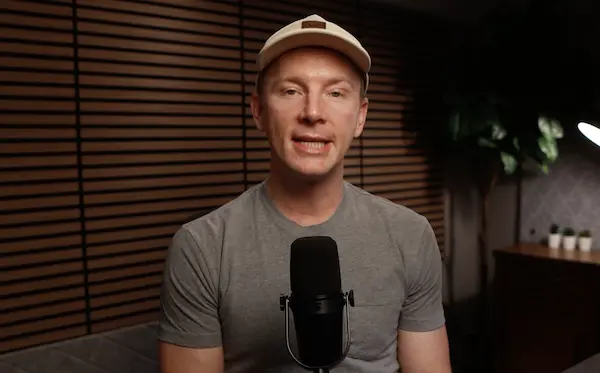
"I don't have to repeat myself — my editor learns from my previous videos. This let me raise my upload frequency to 2 videos a week and take my YouTube channel full-time."
"Grew to 19,400 subscribers and 3 million views without editing a single video myself. The dedicated editor model is what made the difference."
Final Verdict — Which Service Is Right for You?
Both services have a dedicated editor model and a flat monthly price. But the differences in restrictions, included features, and working days add up significantly over a year. Here's our honest take.
If you publish consistently on YouTube, want subtitles and thumbnails without add-on fees, need 4K editing, or create content in any niche — Editvideo.io is the better value at $254 less per month. The Google Drive workflow requires no new tools, and the 14-day money-back guarantee means there's no financial risk in trying it.
- Best for: YouTube creators, coaches, finance, real estate, fitness, lifestyle
- Best for: Creators who want simple workflow with no new software
- Best for: Anyone who needs subtitles and thumbnails without paying extra
- Best for: Teams publishing 2+ videos per week who need 4K
Video Husky could suit you if you're comfortable with their proprietary editing system, already use Slack heavily for workflow, and don't need thumbnails, subtitles, or 4K. If your content is straightforward and fits within their plan restrictions, the editing quality is competent.
- Consider if: You only need basic talking-head edits at 1080p
- Consider if: You already use Slack for all team communication
- Consider if: You publish 1 video per week and rarely need extras
Frequently Asked Questions
Not in the way the marketing implies. On the Eskimo plan, your editor's hours are capped at 10 per week, raw footage is limited to 40 GB per video, and editing only happens on weekdays. You can submit unlimited requests, but they're queued — your editor handles one at a time. Realistically, most creators get 8–10 videos edited per month on this plan.
Video Husky's plans in 2026 start at $549/month for the Pom plan (short-form only), $749/month for the Eskimo plan (YouTube/long-form), and $1,549/month for the Siberian plan (4K, longer footage, webinars). Thumbnails and subtitles are paid add-ons at $109/month each on the lower plans.
For YouTubers specifically, Editvideo.io is the strongest Video Husky alternative. It offers a dedicated editor model at $295–$495/month, includes thumbnails and subtitles on all plans, has no niche restrictions, works Monday–Saturday, and offers a free test video before you pay anything. The Google Drive workflow means there's no new platform to learn.
Yes — Editvideo.io offers a free test video before you enter any payment details, and a 14-day money-back guarantee once you subscribe. The free test video means you can see the editing quality in your own niche before committing to anything.
Yes. The onboarding at Editvideo.io is designed to be quick — one short form, and the entire workflow runs through Google Drive which you're likely already using. You can cancel Video Husky at any time (no contracts on either service) and start your Editvideo.io free trial in parallel before fully switching.
Try Editvideo.io Free — No Card Required
Send us a raw video and we'll edit it for free so you can see the quality before you spend a dollar. 43 dedicated editors. 1,800+ creators served. Plans from $295/mo.