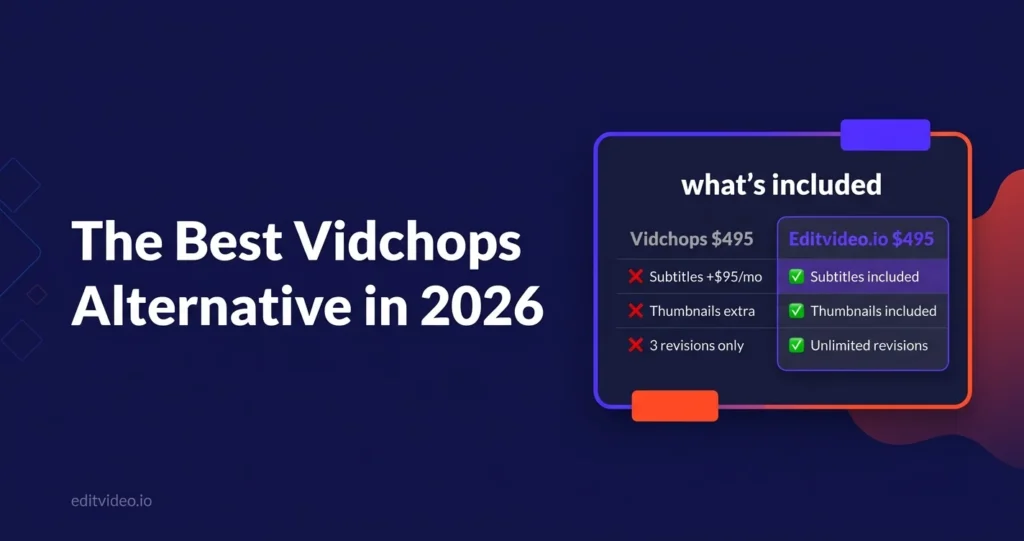
Vidchops is one of the most visible video editing services for YouTubers — and for good reason. The pricing is competitive and the turnaround is reliable. But the credit-based system, 3-revision cap on the entry plan, subtitles as a paid add-on, and Dropbox-only workflow leave a lot of creators looking for a Vidchops alternative that gives them more for a similar price. This is a straight comparison.
Pricing & the Credit System Explained
Unlike most video editing services, Vidchops uses a credit-based model. One credit equals one long-form video OR four short-form clips. Here's how their plans break down and how they compare to Editvideo.io's straightforward flat-rate model.
- 4 credits/month (4 long-form or 16 short-form)
- 3 revisions per video
- 2 business day turnaround
- Dedicated editor
- No subtitles (add-on: +$95/mo)
- No thumbnails included
- 100 GB storage
- Dropbox workflow
- 8 credits/month (8 long-form or 32 short-form)
- Unlimited revisions
- 2 business day turnaround
- Dedicated editor + account manager
- No subtitles (add-on: +$95/mo)
- No thumbnails included
- 100 GB storage
- Dropbox workflow
- ~10 videos/month guaranteed
- Truly unlimited revisions
- 24–48 hr turnaround (Mon–Sat)
- Dedicated editor for life
- Subtitles & captions included free
- Thumbnails included free
- 400 GB free storage
- Google Drive workflow
Key Limitations Before You Sign Up to Vidchops
Vidchops is a solid service for the right creator. But there are five constraints that regularly cause creators to look for a Vidchops alternative — especially as their channel grows.
The Weekly plan ($495/mo) limits you to 3 revisions per video. For creators who are particular about their style — or working with a new editor who's still learning their preferences — three rounds goes fast. Each revision counts even if you're only adjusting one small element. Unlimited revisions only come with the Pro plan at $995/mo.
Subtitles are not included in any Vidchops plan. They're a paid add-on at $95/month. For a creator publishing 4 videos per month, that's $23.75 per video just for captions — a feature that comes free with Editvideo.io on every plan. Over a year that's $1,140 for something that should be standard.
Vidchops does not include thumbnail creation in any plan. Their "YT Helper" add-on covers thumbnails, titles and tags — but that's a separate subscription on top of your editing plan. Editvideo.io includes thumbnails in every plan at no extra cost, which matters when you're publishing 8–10 videos per month.
With Vidchops, your month is counted in credits — 1 credit per long-form video. If you have a particularly heavy month and want to push through more videos, you can't exceed your credit allowance without upgrading plans. Editvideo.io guarantees a video count and builds in flexibility around your schedule rather than a fixed credit bucket.
Vidchops uses Dropbox for footage submission. If you're already using Google Drive — the default for most creators — that means managing two separate cloud storage tools. Editvideo.io's entire workflow runs through Google Drive. No new tools, no extra accounts, no storage juggling.
- 3 revisions only
- No subtitles (add-on +$95/mo)
- No thumbnails (separate add-on)
- Credit-based — fixed video count
- Dropbox only
- Weekdays only
- No backup editor mentioned
- 100 GB storage
- Truly unlimited revisions
- Subtitles & captions included free
- Thumbnails included free
- ~10 videos guaranteed / month
- Google Drive workflow
- Mon–Sat (26 days/month)
- Backup editor system
- 400 GB free storage
Turnaround Times Compared
Both services are fast relative to the industry. Here's how the day-to-day turnaround compares for a creator publishing 2 videos per week on YouTube.
Weekdays only. One video at a time — your editor finishes the current video before starting the next. Queue your footage and they work through it in order. Revision turnaround is also 2 business days on the Weekly plan.
7 days including Saturdays. Footage over 45 minutes gets 72 hours. Revisions are typically returned within hours, not days. Backup editor steps in if your dedicated editor is unavailable so your schedule never slips.
Within the first few videos, my editor had completely locked into my style — the revision notes just kept getting fewer. My channel went from zero to 1,000 subscribers in under seven weeks.
What's Included vs What Costs Extra
Both services are at the same $495 entry price point — but what's included in that price is very different. Here's a line-by-line breakdown.
Workflow Experience
Both services use a dedicated editor model with cloud-based footage submission. The main workflow difference is the platform you use and how feedback is managed.
Who Vidchops Is Actually Best For
Vidchops is a legitimate service — not a bad choice, just a specific one. Here's an honest take on who it suits and who should look elsewhere.
- New YouTubers on a tight budget publishing 1–4 videos/month
- Creators with simple talking-head or single-camera formats
- Channels where captions and thumbnails are handled separately
- Creators who already use Dropbox and don't mind the workflow
- Anyone who doesn't need more than 3 revision rounds per video
- You publish 8+ videos/month and want unlimited revisions without paying $995
- You need subtitles and thumbnails without paying add-on fees
- You use Google Drive and don't want a separate Dropbox account
- You're in finance, real estate, coaching or any niche needing brand-consistent edits over time
- You want a backup editor system so your schedule never slips
What Creators Say About Editvideo.io
"I don't have to repeat myself — my editor learns from my previous videos. This let me raise my upload frequency to 2 videos a week and take my YouTube channel full-time."
"Within the first few videos, my editor had completely locked into my style — the revision notes just kept getting fewer. My channel went from zero to 1,000 subscribers in under seven weeks."
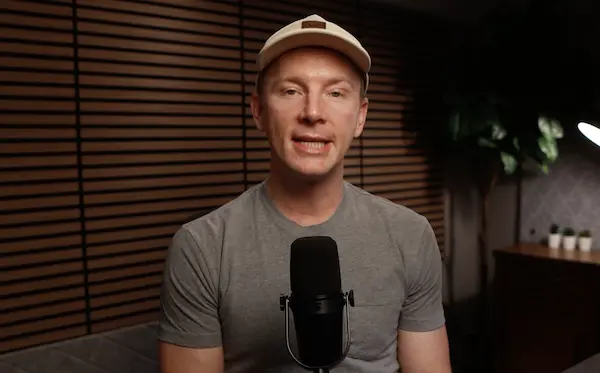
"Grew to 19,400 subscribers and 3 million views without editing a single video myself. The dedicated editor model is what made the difference."
Final Verdict — Vidchops vs Editvideo.io
This is the most competitive comparison in the series — Vidchops' entry price matches Editvideo.io. But what you get for that price is substantially different. Here's the honest summary.
At the same $495/month entry price as Vidchops Weekly, Editvideo.io includes subtitles, thumbnails, unlimited revisions, 400 GB storage, a backup editor system, and a Google Drive workflow — none of which are in Vidchops Weekly. You get more video output, more inclusions, and a Saturday working day that Vidchops doesn't offer.
- Best for: Creators who want subtitles and thumbnails without paying extra
- Best for: Anyone publishing 6+ videos/month who needs unlimited revisions
- Best for: Google Drive users who don't want a separate Dropbox account
- Best for: Creators in any niche who want a backup editor for reliability
Vidchops is a legitimate option for budget-conscious new creators who publish 4 or fewer videos per month, don't need subtitles or thumbnails from their editing service, and are comfortable with a 3-revision cap. Their credit system is transparent and their communication is well-reviewed.
- Consider if: You're a new creator publishing 1–4 videos/month
- Consider if: You already handle thumbnails and subtitles separately
- Consider if: Simple talking-head edits are all you need right now
Frequently Asked Questions
Vidchops has three plans in 2026: Weekly at $495/month (4 videos, 3 revisions each), Pro at $995/month (8 videos, unlimited revisions, account manager), and a Double Chops plan for high-volume creators. Subtitles cost an additional $95/month on any plan. Thumbnails and YouTube optimisation are available via their separate YT Helper add-on.
For YouTubers who want more inclusions at the same price, Editvideo.io is the strongest Vidchops alternative. At $495/month it matches Vidchops' entry price but includes unlimited revisions, subtitles, thumbnails, 400 GB storage, a Google Drive workflow, and a backup editor system — none of which are in Vidchops Weekly. A free test video is available before you pay anything.
No — subtitles are not included in any Vidchops plan. They're available as a paid add-on at $95/month. Editvideo.io includes subtitles and captions in every plan at no extra charge.
Vidchops uses a credit system. The Weekly plan ($495/mo) gives you 4 credits — each credit equals one long-form video or four short-form clips. The Pro plan ($995/mo) gives you 8 credits with unlimited revisions. Editvideo.io guarantees approximately 10 videos per month on the Ultimate plan at $495/month with no credit caps.
Yes — Editvideo.io offers a free test video before you enter any payment details. Submit a raw video and see the editing quality in your own niche before committing. There's also a 14-day money-back guarantee once you subscribe. Vidchops also offers a 14-day money-back guarantee but no free test video before sign-up.
Try Editvideo.io Free — No Card Required
Send us a raw video and we'll edit it for free so you can see the quality before you spend a dollar. 43 dedicated editors. 1,800+ creators served. Plans from $295/mo.