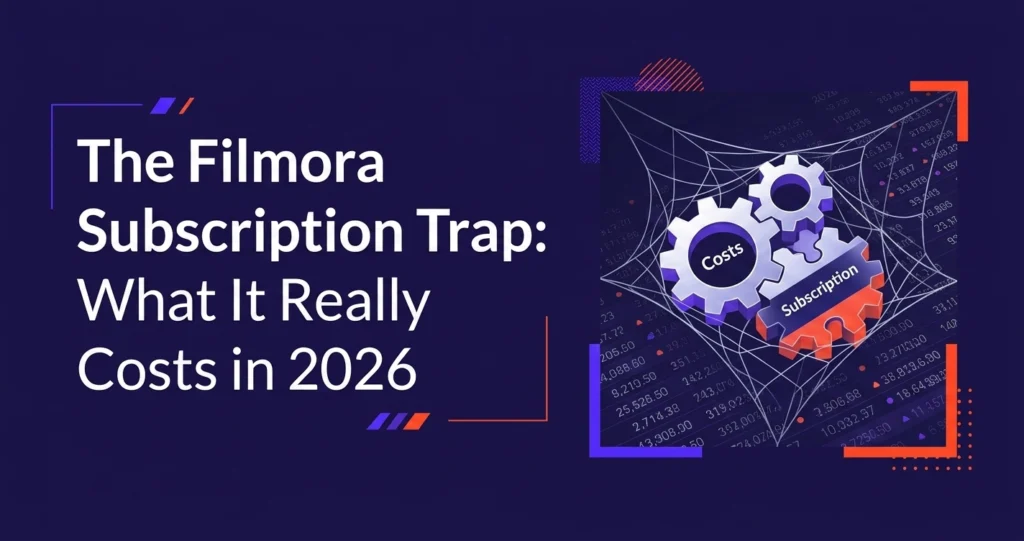
You saw the price. You thought it was a good deal. You paid. Then the upsells started.
If you've ever bought a Filmora subscription and felt like the software you actually needed was perpetually just one more purchase away, you're not alone. Filmora has built a reputation as an affordable, beginner-friendly video editor, but the real cost of using it tells a very different story.
This post breaks down exactly how Filmora's pricing works, what you're not told upfront, what those costs actually add up to over a year, and whether there's a smarter alternative for creators who want professional results without the financial death by a thousand cuts.
📋 Table of Contents
- Filmora Subscription Plans: What You Actually Get
- The Hidden Costs Nobody Talks About
- What Filmora Actually Costs You Per Year
- Key Features: What's Good, What's Locked
- Pros and Cons of Filmora
- Who Filmora Is (and Isn't) For
- A Better Alternative for Serious Creators
- Filmora vs. Outsourcing: Full Comparison
- Frequently Asked Questions
Filmora Subscription Plans: What You Actually Get
Filmora's pricing looks reasonable on the surface. It's significantly cheaper than Adobe Premiere Pro, it has a free tier, and the annual plans seem modest. But the advertised price and the functional price are two very different numbers.
Individual Plans
| Plan | Price | AI Credits | Cloud Storage | Key Limitation |
|---|---|---|---|---|
| Free | $0 | None | None | Watermark on all exports |
| Basic | $49.99/yr | None | None | No AI tools, no effects store |
| Advanced | $59.99/yr | 1,000 | 10 GB | Credits run out in 3 to 4 videos |
| Premium | $99.99/yr | More credits | More storage | Still excludes some premium features |
Team & Business Plan
For teams, Filmora's Business plan starts at $155.88 per year per user. It includes multi-user access, commercial licensing, and access to more effects. However, it still lacks the depth of editing tools that professional video editors actually need, making it a hard sell at that price point for any serious production team.
Educational Plan
| Plan | Price | Includes Creative Assets? | Includes AI Credits? |
|---|---|---|---|
| Monthly | $19.99/mo | ✗ No | ✗ No |
| Annual | $40.99/yr | ✗ No | ✗ No |
| Perpetual | $49.99 one-time | ✗ No | ✗ No |
Every educational plan excludes Creative Assets and AI Credits: the two features most students actually want. To access them, you pay extra on top of the plan you already bought.
The Hidden Costs Nobody Talks About
The advertised Filmora subscription price is the starting point, not the finishing line. Here's what actually costs extra once you're inside the software.
1. AI Credits: The Meter Is Always Running
Filmora's AI tools, background removal, speech-to-text, motion tracking, smart cutout, all consume AI credits. The Advanced plan gives you 1,000 credits per year. That sounds like a lot until you realise that a single AI background removal on a 10-minute video can consume 200 to 300 credits on its own.
For a creator posting weekly, 1,000 credits is gone in weeks. At that point you have two options: buy more credits or stop using the AI features you specifically paid for. Neither is a good outcome.
On forums and Reddit, a consistent complaint surfaces: users buy the Advanced plan specifically for the AI features, burn through their credits in the first month, and then face the choice of paying again or switching to manual editing. The "upgrade" they paid for effectively had a hidden expiry date.
2. The Effects & Plugins Store
Filmora's built-in effects library is solid for basic edits. But if you want access to premium transitions, motion graphics, overlays, or plugin integrations, there's the Filmora Effects & Plug-ins Store, which operates as a separate subscription costing up to $20/month.
You read that right. After paying for your annual Filmora subscription, if you want the premium effects that make videos look polished and professional, you pay again. Every month.
3. 4K Export and Watermark Removal
The free version applies a watermark to every export. Removing it requires upgrading. And exporting in 4K, standard for modern YouTube content, is locked behind specific plan tiers. If you're on the Basic plan, you're exporting in lower quality with a Filmora logo on every video.
4. Creative Assets
Stock footage, music tracks, sound effects, and premium templates sit behind the Creative Assets subscription, which is not included in most plans. For creators who rely on licensed music and B-roll footage, this is a significant additional cost that isn't mentioned prominently at checkout.
5. No Future Updates on Perpetual Plans
If you opt for the one-time perpetual purchase thinking you're done paying forever, Filmora has a surprise for you: the perpetual plan locks you to the version you bought. New features, AI improvements, interface updates? Those are for subscribers only. Your "permanent" licence is actually a permanent licence to a version of the software that will age out of relevance.
What Filmora Actually Costs You Per Year
Let's do the maths for a typical content creator on the Advanced plan who actually uses the software's headline features.
📊 Real Annual Cost Breakdown: Advanced Plan User
That's $270 to $340 per year. You're still doing all the editing yourself. Every hour spent cutting, colour grading, adding captions, and exporting is time you're not spending on filming, scripting, growing your channel, or running your business.
Tired of paying to edit your own videos?
For less than Filmora's real annual cost, you get a dedicated human editor, 24 to 48hr turnaround, unlimited revisions, and zero time spent in the timeline. Plans start at $295/month.
Key Features: What's Good, What's Locked
In fairness to Filmora, it's a capable piece of software, for the right user. Here's an honest look at what works and what's gated.
What's Genuinely Good
User-friendly interface. Filmora's drag-and-drop timeline is one of the most accessible in the market. If you've never edited video before, you can produce a basic cut within an hour. There's no steep learning curve, no need to understand nodes or colour scopes on day one.
Pre-made templates and transitions. The built-in library of transitions, lower thirds, and text animations is solid for casual content. For social media clips, product videos, or simple tutorials, the included templates get the job done without a lot of manual work.
Basic AI tools (when credits allow). Background removal, speech-to-text captioning, and smart scene detection are genuinely useful features, when you have credits. The technology works reasonably well for a consumer-grade product.
Cross-platform. Filmora runs on Windows and Mac, which covers most creators' setups without compatibility issues.
What's Locked or Limited
AI tools beyond credit limits. As covered, the AI credits system turns premium features into a timed resource. Once gone, they're gone until you pay more.
Advanced colour grading. If you need professional-level colour correction, such as LUTs, scopes, or node-based grading, Filmora isn't built for it. You'll hit the ceiling quickly if your content requires cinematic colour work.
Multi-cam editing. Working with footage from multiple cameras simultaneously is clunky in Filmora compared to Premiere Pro or DaVinci Resolve. For interview-style content or event videos, this is a meaningful limitation.
Audio mixing. Filmora's audio tools are basic. There's no proper mixer, no advanced EQ, no noise profiling at the level podcasters or voiceover creators need. You'd need a separate tool like Audacity for anything serious.
Premium effects and creative assets. The good-looking stuff, like polished motion graphics, licensed music, and premium transitions, costs extra. What's included in the base plan is functional but rarely impressive.
Pros and Cons of Filmora
✓ Pros
- Beginner-friendly interface
- Lower upfront cost vs Adobe
- Decent built-in templates
- Works on Windows and Mac
- AI features are useful when credits available
- Good for simple social media clips
✗ Cons
- AI credits run out fast
- Effects store costs extra monthly
- Creative assets not included
- Perpetual plan gets no updates
- Watermark on free version
- Limited pro-level editing tools
- 4K export locked to higher tiers
- You still spend hours editing
Who Filmora Is (and Isn't) For
Filmora isn't a bad product. It's a mismarketed one. It's sold as a professional-tier solution when it's really a solid entry-level tool, and that gap between expectation and reality is where most of the frustration comes from.
Filmora makes sense if you are:
- A complete beginner learning the basics of video editing
- A student working on occasional class projects
- Someone who needs quick, simple social media clips with no advanced requirements
- A hobbyist who edits a few videos a year and doesn't need AI tools
Filmora does not make sense if you are:
- A YouTube creator posting consistently (weekly or more), the credit system will constantly interrupt your workflow
- A business producing client-facing video content that needs to look polished
- A creator whose time has real value, every hour in the timeline is an hour not spent on growth
- Someone who wants a transparent, predictable monthly cost
- A team that needs collaboration and project management around video
If Filmora's total cost approaches $300+ per year and you're still spending 8 to 12 hours editing every video yourself, at what point does it make more financial and practical sense to pay a dedicated editor to handle it for you?
A Better Alternative for Serious Creators
For creators and businesses who want professional video output without the time cost of DIY editing and the financial cost of software subscriptions, the calculation increasingly points toward outsourcing.
A done-for-you video editing service means you film, you send the footage, and you receive a polished, publish-ready video. No software subscriptions. No credit top-ups. No spending your Sunday afternoon in the timeline instead of doing anything else.
At Editvideo.io, every client gets a dedicated human editor, not a rotating pool of freelancers, not an AI, not a template generator. Someone who learns your style, your brand, your preferences, and gets better at editing your content over time.
- Long-form YouTube videos, short-form Reels/TikToks/Shorts, thumbnails
- 24 to 48 hour turnaround on every video
- Unlimited revisions: if it's not right, we fix it
- 14-day money-back guarantee
- Free test edit, no credit card required
- Plans starting at $295/month
Filmora vs. Outsourcing to Editvideo.io
| Factor | Filmora (Advanced) | Editvideo.io |
|---|---|---|
| Monthly cost | ~$25 to $30/mo (+ extras) | From $295/mo |
| Your time per video | 8 to 12 hours editing | ✓ 0 hours editing |
| Dedicated editor | ✗ You are the editor | ✓ Yes, assigned to you |
| AI credit limits | Runs out, costs more | ✓ Not applicable |
| 4K export | Higher tier required | ✓ Included |
| Unlimited revisions | ✗ No | ✓ Yes |
| Shorts / Reels included | You edit those too | ✓ Yes |
| Thumbnail design | ✗ Separate tool needed | ✓ Included |
| Scales with your output | More videos = more of your time | ✓ Upgrade plan, not effort |
| Free trial | Free plan with watermark | ✓ Free test edit, no card needed |
The comparison above isn't meant to suggest every creator should immediately drop Filmora. If you're just starting out and learning to edit, Filmora is a reasonable place to begin. But if you're at the stage where your content is your business, or you want it to be, the hours you spend editing are hours you're not spending on the things that actually grow your channel.
Skip the software. Get a dedicated editor.
No subscriptions to manage, no credits to top up, no hours lost in the timeline. Just polished, publish-ready videos delivered in 24 to 48 hours. Start with a free test edit. No credit card required.
Frequently Asked Questions
Filmora offers both options, but neither is as straightforward as it sounds. The annual subscription gives you access to the latest version and some AI credits, but many features, including the effects store and creative assets, require additional purchases. The perpetual (one-time) plan locks you to the version you bought with no future updates, meaning you'll progressively fall behind as the software evolves. Either way, expect to spend more than the headline price if you want access to the full feature set.
Filmora's business model is built around tiered access. The base subscription unlocks the core editing timeline, but AI tools run on a credit system that depletes with use, premium effects sit behind a separate store subscription, and creative assets like licensed music and stock footage require yet another add-on. This is a deliberate structure, not an accident. It keeps the headline price low while generating recurring revenue from users who need more than the basics.
It depends on how heavily you use the AI tools, but for active creators the 1,000 credits included in the Advanced plan typically last 4 to 8 weeks. AI background removal on longer videos, speech-to-text for full episodes, and smart cutout features are all credit-heavy. Once you're out, you either purchase more credits or stop using those features entirely until your next plan renewal, which could be months away.
For beginners learning to edit their first videos, Filmora offers a low barrier to entry and good basic tools. For creators who post consistently, weekly or more, the hidden costs accumulate quickly, and more importantly, the time cost of doing your own editing becomes significant. At that stage, many creators find that outsourcing to a dedicated editing service costs a similar amount annually while freeing up 8 to 12 hours per video that can be redirected toward growth activities.
The Basic plan at $49.99/year removes the watermark. However, it includes no AI tools and no access to the effects store, so you're left with a fairly stripped-down editing experience. If you want the AI features and effects library along with watermark-free exports, you're looking at the Advanced plan ($59.99/year) plus the additional subscriptions needed for those features, which quickly pushes the real cost well above $100/year.
If you want to stay in the DIY editing space, DaVinci Resolve offers a genuinely professional feature set with a free tier that doesn't add watermarks and doesn't restrict exports. For creators who want to stop editing altogether and focus on creating content, a done-for-you editing service like Editvideo.io provides a dedicated human editor, 24 to 48hr turnaround, unlimited revisions, and consistent output, for roughly the same cost as a fully-loaded Filmora setup, but without any of your time spent editing.