Quick Answer
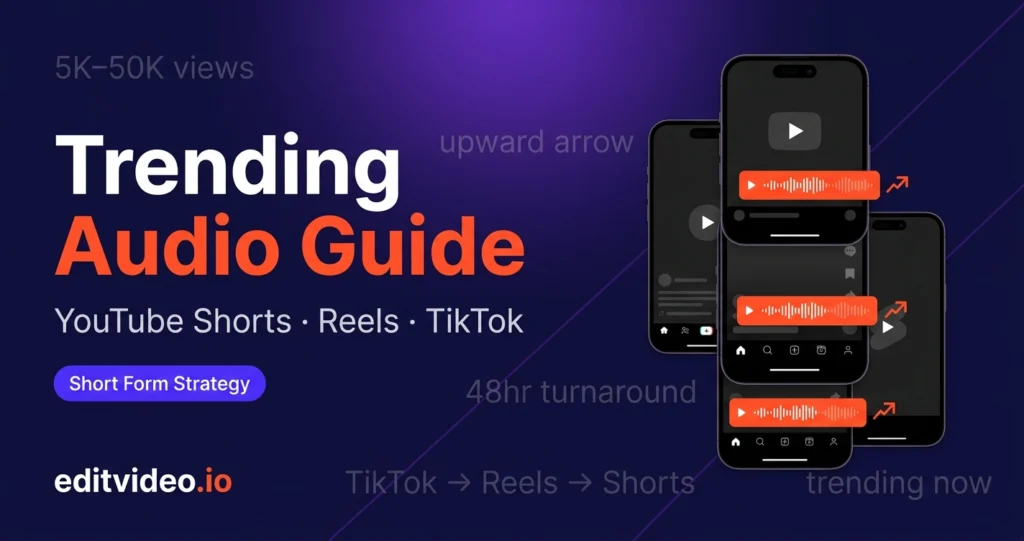
To find trending audio for YouTube Shorts, Reels, and TikTok: look for the upward arrow on videos in your feed, check each platform's native trends dashboard, monitor what sounds top creators in your niche are using, and cross-reference with TikTok — where most trends originate 3–7 days before spreading to Reels and Shorts.
You've spent an hour filming the perfect short video. The hook is tight, the edit is clean — and it gets 200 views, all from your existing followers. Zero new reach.
Most of the time, the missing ingredient isn't your content — it's the audio. Short-form algorithms on every platform actively push content that uses sounds currently gaining momentum. Use the right audio at the right time and your video gets distributed far beyond your subscriber count. Miss the window and it stays buried.
This guide covers how to find trending audio on YouTube Shorts, Instagram Reels, and TikTok — and how to move fast enough to actually benefit from it.
What Is "Trending Audio" — and What It Isn't
Not every popular song is a trending audio. The distinction matters.
A trending audio is a sound currently gaining momentum — a clip the algorithm is actively distributing to new audiences right now. It sits on the upward curve: new enough to still be rising, but with enough usage to signal algorithmic traction.
A popular audio is something that was trending weeks or months ago and is now just... everywhere. Millions of videos, no algorithmic boost. Using it won't hurt you, but it won't give you the reach spike that genuine trending audio does.
⚠️ The sweet spot: Sounds with between 5,000 and 50,000 uses on any given platform are typically in the rising phase — popular enough to be discoverable, but not so saturated that your video disappears in the noise. Above 500,000 uses, the trend has usually peaked.
How Audio Trends Travel Across Platforms
Understanding where trends start tells you where to look first — and gives you a timing advantage over creators who only monitor one platform.
| Platform | Role in the trend cycle | Typical timing | Best for |
|---|---|---|---|
| TikTok | Origin point — where most trends start | Day 0 | Early detection |
| Instagram Reels | Follows TikTok, often within days | Day 3–7 | Second wave reach |
| YouTube Shorts | Follows Reels, sometimes simultaneously | Day 5–10 | Longest tail, highest CPM audience |
This means if you spot a sound blowing up on TikTok today, you have a 3–7 day window to be an early mover on Reels, and up to 10 days on Shorts. TikTok is your early warning system — even if you don't post there.
How to Find Trending Audio on Each Platform
-
1Use the upward arrow indicator All platforms
The fastest in-app method. When scrolling your Shorts, Reels, or TikTok feed, look at the bottom-left corner next to the audio name. A small upward-pointing arrow means the algorithm is actively pushing that sound right now.
Tap the audio name to see the total video count. On Reels and TikTok, anything between 5,000 and 50,000 videos is typically still in the rising phase. On Shorts, the numbers tend to be lower — 1,000 to 20,000 can still represent a genuine trend.
✓ Best for: daily feed monitoring while you're already watching content anyway. -
2Check each platform's native trends dashboard All platforms
Every platform has built-in trend intelligence for creator accounts:
- YouTube Shorts: YouTube Studio → Analytics → Inspiration tab. Shows trending Shorts topics and rising audio in your niche.
- Instagram Reels: Professional Dashboard → Trends tab (availability varies by region). Highlights rising audio clips performing well globally and within your category.
- TikTok: Creator Academy → TikTok Trends or the native Discover page. Also check TikTok Creative Center at ads.tiktok.com/business/creativecenter — free, no ad account needed, shows trending sounds with usage data.
-
3Monitor TikTok as your early warning system TikTok
Even if TikTok isn't your main platform, it should be your trend research tool. Most audio trends originate there and migrate to Reels within 3–7 days, and Shorts within 5–10 days.
Use Tokboard (tokboard.com) or TrendTok to track audio without needing to scroll manually. Both tools show rising sounds with usage velocity — how fast the video count is climbing — which is more useful than raw popularity.
✓ Best for: getting ahead of trends before they hit your primary platform. -
4Watch what top creators in your niche are using
Follow 5–10 creators in your specific niche across all three platforms. Apply what we call the repetitive audio test: if you see the same sound used by three or more different creators in your field within a 48-hour window, that audio is officially trending within your industry.
On Reels and TikTok, you can tap any audio to instantly start a video using that sound. On Shorts, search the audio title in the YouTube Shorts creation tool to find and use it.
✓ Best for: niche-specific trend detection that broad dashboards often miss. -
5Save audio as you find it — build a library
Don't use every trending sound the moment you find it. Instead, build a saved audio folder across each platform:
- Reels: Tap "Save Audio" on any sound — it goes to your Saved Audio library in the Reels creation tool.
- TikTok: Tap the sound name → "Add to Favourites."
- Shorts: Note the audio name and search for it when creating — or save the video URL in a notes app.
Pro tip
Set aside 10 minutes every Monday to scroll all three platforms and save 3–5 rising sounds to your library. By Wednesday when you're creating, you'll have a curated list of sounds that are still in their growth window — not sounds that peaked last week.
Best Practices for Using Trending Audio
Finding the audio is half the battle. Using it correctly is what actually drives reach.
- Act within the trend window. If a sound has over 500,000 videos, the algorithmic boost is largely gone. The goal is to be in the 5,000–50,000 range on most platforms. Speed matters more than perfection here.
- Match the energy, not just the sound. A high-tempo viral audio dropped over a slow, aesthetic tutorial creates friction. The audio should complement the feel of your content — the algorithm measures completion rate and engagement, both of which suffer if the vibe is mismatched.
- Use trending audio at low volume if you're talking. Set the background track to 5–10% on Reels and TikTok. The algorithm still registers the sound and serves your video to the right audience — but your voice remains clear. Shorts handles this slightly differently: YouTube's algorithm is less audio-signal-dependent, but the sound still supports discoverability.
- Don't chase every trend. Use sounds that make sense for your content category. Niche relevance still outperforms trend-chasing on long-term channel growth.
- Repurpose across platforms. If you create one short-form video using a trending audio, export it in the right aspect ratio and post it to all three platforms while the sound is still rising. One piece of content, three distribution windows.
Quick Checklist: Your Weekly Trending Audio Routine
- ✓Monday: Scroll feed on all three platforms for 10 minutes — save any audio with the upward arrow.
- ✓Monday: Check TikTok Creative Center for top trending sounds this week.
- ✓Tuesday: Apply the repetitive audio test — which sounds are showing up across multiple niche creators?
- ✓Wednesday (batch day): Film content using 2–3 sounds from your saved library — confirm they're still in the 5K–50K range before posting.
- ✓Post and cross-publish: Upload to Shorts, Reels, and TikTok while the trend window is open.
- ✓Friday: Check performance — note which audio delivered the most reach and adjust next week's strategy.
Consistent short-form growth isn't about going viral once — it's about building a repeatable system that keeps you in the trend window week after week. The creators who compound their reach are the ones who treat audio research as a non-negotiable part of their content process, not an afterthought.
If researching trends, filming, editing, captioning, and publishing across three platforms feels like too much to sustain alongside everything else you do — that's exactly what our short form editing plans are built for.
Frequently Asked Questions
Does the volume of trending audio matter for the algorithm?
No — the algorithm detects the sound regardless of volume. If you're talking in your video, set the trending track to 5–10% so your voice stays clear. On Reels and TikTok, the audio signal still gets picked up and your video is served to audiences following that sound. YouTube Shorts is slightly less audio-signal-dependent but the sound still supports discoverability.
How long does a trending audio last?
Most audio trends peak within one to three weeks. Once a sound crosses the 500,000-video mark on TikTok or Reels, the trend is typically on its way out. On YouTube Shorts, the lifecycle can be slightly longer since the platform's audio trend cycles move a little slower than TikTok's. Act early — ideally when the sound is still in the 5,000–50,000 range.
Should I use the same trending audio across YouTube Shorts, Reels, and TikTok?
Yes, where possible. Many sounds trend across all three platforms — often with a 3–7 day lag from TikTok to Reels and Shorts. If you spot a trending sound on TikTok, you have a window to post the same content on Reels and Shorts while the sound is still rising there. One video, three distribution windows.
Does my short video have to match the style of the trending audio?
Not exactly — but the energy should match. A high-tempo viral sound over a slow, atmospheric clip creates friction that hurts completion rates. Tutorials, commentary, aesthetic content, and educational videos can all use trending audio effectively — the key is that the pace and mood of your video aligns with the sound, not that you recreate the original trend format.
What's the best free tool to track trending audio?
TikTok Creative Center (ads.tiktok.com/business/creativecenter) is the most comprehensive free tool — it shows trending sounds with usage velocity data and requires no ad account. Tokboard and TrendTok are good supplements, particularly for tracking audio rise-and-fall over time. For native platform data, YouTube Studio's Inspiration tab and Instagram's Professional Dashboard both surface trending audio within your own niche.
How does editvideo.io help with short-form content?
editvideo.io's short form plans are built for creators publishing on YouTube Shorts, Reels, and TikTok. We edit your short videos in the high-energy style that performs on these platforms, handle captioning, and can extract multiple Shorts or Reels from your existing long-form content. Plans start from $195/month — see the full short form pricing here.
You Find the Trend. We Handle the Edit.
Our short form editing plans are built for creators publishing on Shorts, Reels, and TikTok. Flat monthly rate, 48-hour turnaround, captions included. Try your first video free.