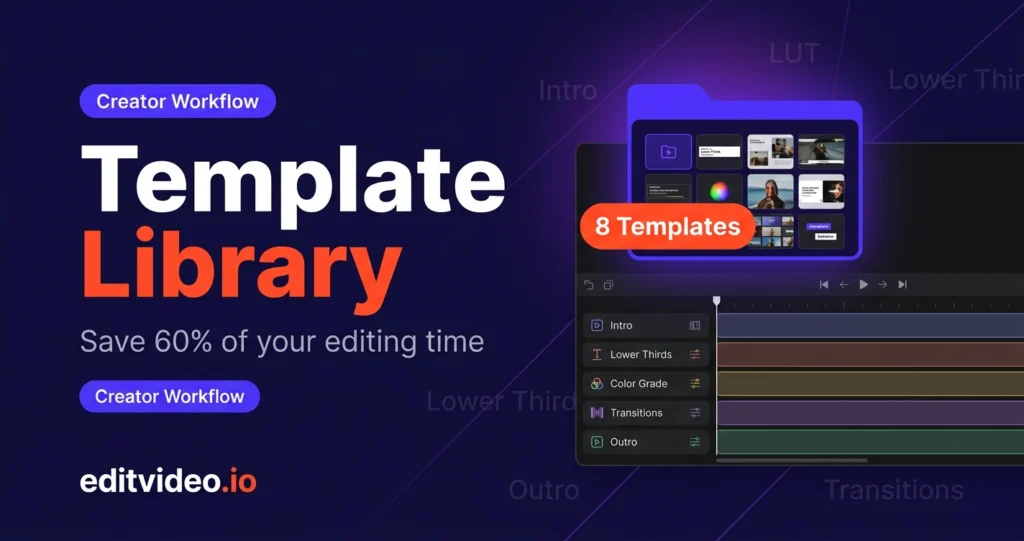
Most high-output YouTubers share one workflow habit they rarely talk about publicly: they have a video editing template library.
It's how they post five videos a week without burning out. It's how their content looks consistent across hundreds of episodes. And it's the system quietly running behind every channel that looks effortless from the outside.
Quick answer: A video editing template library is a collection of reusable editing assets — pre-built project files, color grades, lower thirds, transitions, and animations — that you apply to every new video instead of building from scratch. Creators who use one save an average of 1.5–2.5 hours per video, or up to 30 hours a month.
In this guide you'll learn exactly what a video editing template library is, where it saves you the most time, and the eight core templates every creator should build first.
What Is a Video Editing Template Library?
A video editing template library is an organized collection of reusable editing assets that you apply to every new video instead of building from scratch. Think of it as your personal production kit — everything pre-built, pre-branded, and ready to drop in.
A complete library typically includes:
- Intro and outro clips
- Lower thirds and title cards
- Caption and subtitle presets
- Transition effects
- Sound effects and music beds
- Color grades and LUTs (Look-Up Tables)
- Thumbnail templates
- A master project file with pre-labeled tracks and settings
The result: consistent branding across every video, dramatically faster editing sessions, and far fewer decisions to make each time you open your editor.
Why Editing Time Explodes Without Templates
Without a template system, you're spending hours every week solving problems you've already solved before. Here's exactly where the time goes:
Rebuilding from scratch every time
Every video starts with a blank timeline. You search for your intro clip. You set up audio tracks. You apply your color grade. You rebuild your lower thirds. For a creator posting three times a week, this repetitive setup alone can eat 4–6 hours before any real editing begins.
Decision fatigue on things that don't need deciding
Without saved assets, every video forces micro-decisions you've already made before. What font for captions? What color for text boxes? Where does the logo sit? These aren't creative decisions — they're branding decisions you made once and forgot to save.
Inconsistent branding creates rework
When your assets aren't standardized, you spend time hunting through old project files trying to match the look of your last video. Viewers notice the inconsistency. So do you. And fixing it costs more time you don't have.
Hunting for assets mid-edit
No template system usually means no asset system. So you're digging through downloads folders, old exports, and desktop clutter to find a sound effect you've used a hundred times — breaking your flow every single video.
The real cost: creators without a template library routinely spend 8–10 hours editing a single 10-minute YouTube video. With templates, that same video takes 3–4 hours. Templates don't cut creative corners — they remove the friction that has nothing to do with creativity.
The 60% Time-Saving Breakdown
Sixty percent sounds bold. But when you map where template systems create efficiencies across a typical editing workflow, the numbers are actually conservative.
| Time Saved | Where You Save It |
|---|---|
| 20–30 min | Project setup Pre-built timeline, labeled audio tracks, color grade applied, placeholders in place. Open the file and start cutting immediately. |
| 15–20 min | Intro & outro Drop your intro in with a single drag. Animations pre-built. Music fades already keyframed. No rebuilding from old project files. |
| 30–45 min | Lower thirds & on-screen graphics Click, update the text, done. No repositioning, no re-animating, no re-styling. The single biggest time sink for talking-head creators. |
| 20–30 min | Color grading Apply your saved LUT in seconds, make minor per-clip adjustments. A grade from scratch takes 20–60 minutes per video. |
| 15–25 min | B-roll & asset organization When sound effects, music beds, and stock clips are labeled and accessible, you're not hunting. You're editing. |
| 10–20 min | Transitions & effects Build a J-cut once. Build a zoom transition once. Drag and drop forever after. |
For many creators, the savings are even higher once the full library is built. And the compounding effect over months is what separates hobbyists from high-output channels.
The 8 Core Templates Every Creator Should Build First
You don't need 50 templates on day one. You need the ones that appear in every single video you make. Build these eight first, in this order:
| # | Template | Time Saved / Video |
|---|---|---|
| 1 | Master Project Template | 20–30 min |
| 2 | Intro Template | 10–15 min |
| 3 | Outro / End Screen Template | 10–15 min |
| 4 | Lower Third Templates | 30–45 min |
| 5 | Title Card / Chapter Card | 10–20 min |
| 6 | Transition Templates | 10–20 min |
| 7 | Thumbnail Template | 15–25 min |
| 8 | Color Grade / LUT | 20–30 min |
Master Project Template
This is the foundation everything else builds on. A master project template is a pre-built project file in your editing software that includes:
- Pre-labeled audio tracks (dialogue, music, SFX, ambient)
- Color grade or LUT already applied
- Placeholder sequences for intro, main content, and outro
- Aspect ratio and export settings pre-configured
- Logo and watermark already placed
Every new video starts from this file. Duplicate it, rename it, drop in your footage, and start cutting. You never start from zero again.
Intro Template
Your intro should be consistent across all content. Build one animated intro — 5 to 15 seconds — that establishes your brand: your channel name or logo animation, a music sting, and a quick hook visual if your style calls for it.
Once built, your intro never needs to be rebuilt. Refresh it every six months to keep it current, but the core work is done once.
Outro / End Screen Template
Outros drive subscriptions, watch-next clicks, and retention. Build a template with a call-to-action animation, placeholder boxes for YouTube's end screen elements, your social handles, and background music that fades naturally.
Your outro should feel like a natural extension of your brand. Build it once, use it forever.
Lower Third Templates
Lower thirds identify people, locations, and topics on screen. Build at least three variations:
- Name lower third — for identifying yourself or guests
- Topic lower third — for chapter markers or subject callouts
- Tip/Quote lower third — for highlighting key takeaways
Each one should match your brand fonts and colors with pre-built entrance and exit animations. This is the single biggest time-saver for creators who post talking-head or interview content.
Title Card / Chapter Card Templates
If your videos run longer than five minutes, chapter cards keep viewers engaged and improve watch time. Build a clean, branded title card template with a placeholder for the chapter title and a visual style that matches your overall aesthetic.
Drop it between sections, update the text, move on. No design work mid-edit.
Transition Templates
Build a small library of five to ten transitions that fit your editing style:
- Clean cuts with a brief zoom
- Swipe transitions
- Fade to black / fade from black
- Sound-design-driven transitions (whoosh, click, pop)
- Color flash transitions for high-energy moments
Keep them under half a second for most styles. Build them once, drag and drop forever.
Thumbnail Template
Thumbnails aren't built in your video editor — but they're still a template you need. Build a Photoshop, Canva, or Figma template with your brand fonts and colors, consistent text placement, and a layout that makes your thumbnails immediately recognizable.
The most-clicked YouTube thumbnails aren't memorable because of the image. They're memorable because of the consistent template behind them.
Color Grade / LUT
Your color grade is your visual signature. Build or purchase a LUT that represents your channel's aesthetic and apply it as the first step in every color session.
This doesn't replace per-clip color correction — exposure and white balance still need manual adjustment — but it dramatically cuts grading time by giving you a consistent, on-brand starting point every time.
How a Template Library Scales Your Content Output
When editing takes 8 hours, posting three times a week feels impossible. When it takes 3 hours, posting five times a week is suddenly realistic. That's what a video editing template library actually changes — not just speed, but what's possible.
Batch production becomes viable
Batching only works if editing is fast and predictable. With a template library, you can edit two or three videos in the time it used to take to edit one. Film on Monday. Edit three videos Tuesday and Wednesday. Schedule the week. That's a sustainable content machine.
Delegation becomes practical
If you ever hire a video editor — freelancer or full-time — a template library makes onboarding dramatically easier. Instead of spending hours explaining your brand and visual preferences, you hand them the library. The look and feel is already defined. They focus on the cut, the pacing, and the storytelling.
Without a template library, onboarding an editor takes weeks. With one, it takes days.
Multiple formats become manageable
Most creators today need content in multiple formats — YouTube long-form, Shorts, Instagram Reels, TikTok. Build a separate template for each format. Now repurposing a single video across platforms is a structured process, not a chaotic scramble. What used to take two extra hours per video takes 30 minutes.
This is exactly how we help clients at editvideo.io generate three or more unique content pieces from a single video recording.
You have room to experiment
When you're not spending 80% of your time on repetitive tasks, you have mental bandwidth for creative risk. You can test a new opening format, a different pacing style, a new graphic treatment — without blowing up your workflow. Templates create efficiency that frees up creative energy. That's the real secret behind high-output creators.
Frequently Asked Questions
What software should I use to build a video editing template library?
The best software is whichever editor you already use consistently. Adobe Premiere Pro, DaVinci Resolve, and Final Cut Pro all support reusable project templates, presets, and saved effects. For thumbnails, Canva, Figma, or Photoshop are the most common choices. The system matters more than the tool.
How long does it take to build a video editing template library?
Most creators can build a functional core library — master project template, lower thirds, intro, outro, and a LUT — in one focused weekend. It's an upfront investment that compounds over every video you publish afterward. Once the eight core templates are in place, ongoing maintenance is minimal.
Can I use a template library if I outsource my editing?
Yes — and it actually makes outsourcing work better. When you hand a template library to a professional editor, they can match your brand exactly from day one. At editvideo.io, we work with each client's existing assets or help build a consistent visual system from scratch.
Do I need to update my templates over time?
Most creators refresh their intro, outro, and thumbnail templates every six to twelve months. Color grades and lower thirds tend to stay consistent much longer. Think of templates as infrastructure — you maintain them, you don't rebuild them.
Will a template library make my videos look generic?
The opposite. A well-built template library makes your channel look more distinctive — because your visual identity is consistent and immediately recognizable. Templates remove repetitive decisions so you can spend your creative energy on content, not formatting.
Start Small, Build Once, Scale Fast
A video editing template library is infrastructure you invest in once and benefit from on every video you ever publish afterward. The most efficient creators aren't cutting corners — they've built systems that eliminate the friction between idea and published video.
Start this week with your master project template. Add your lower thirds next week. The library builds itself one template at a time.
Six months from now, the gap between you and creators still starting from a blank timeline every single time will be unmistakable — in your output volume, your content consistency, and your results.
Want a Professional Editor Who Already Works This Way?
Our team uses a proven template system on every project — consistent branding, fast turnaround, senior-level quality. Starting at $295/month with a 14-day money-back guarantee.