TikTok is one of the most engaging social platforms out there, with more than 2.21 billion monthly active users worldwide as of 2026. Ever wondered how it has managed to gain such popularity? It's simple. TikTok provides a creative platform where people can effortlessly share their talent with the world, whether that's acting, lip syncing, dancing, or just having fun with trends.
With the fun effects, smooth transitioning, and subtle but attractive filters, most video creators unanimously agree TikTok is one of the best social platforms for video.
In this post, we'll explore one of the most appealing components of this platform: filters. We'll be sharing the best filters on TikTok with you. But before we dive into that, let's understand the difference between two commonly confused TikTok terms: filters and effects.
TikTok Filters vs. Effects: What's the Difference?
What Are Filters?
Filters are tools that change the overall appearance of a video by altering it. They work just like the filters on Instagram or Snapchat. You can adjust:
- Saturation
- Contrast
- Lighting
- Exposure of the video
TikTok divides these filters into four categories: Portrait, Landscape, Food, and Vibe.
What Are Effects?
Effects are tools that add elements to the video. They can be applied to the whole video or to certain segments of it. For example, you can make a video run in slow motion, or use a time freeze effect.
13 Best TikTok Filters to Make Your Videos Stand Out
TikTok has created genuine standouts among its filters using AI technology. Below, we've rounded up the filter names that consistently make the top lists. These filters will help you enhance the vibe of your videos.
1. Bold Glamour Filter
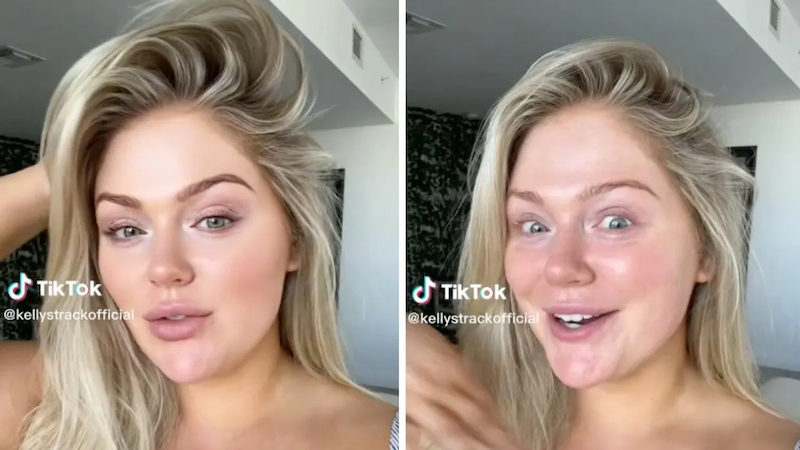
You've probably already heard about this filter. It's a buzzword these days and literally all over social media, discussed and tried by aestheticians everywhere. The Bold Glamour filter has gained popularity for its feature-augmenting capabilities: lifted brows, sculpted cheeks, plumper lips, and a refined nose. You can get a striking, camera-ready look with this one. Some makeup artists on TikTok have even tried to recreate the Bold Glamour look with actual makeup.
2. Tonal
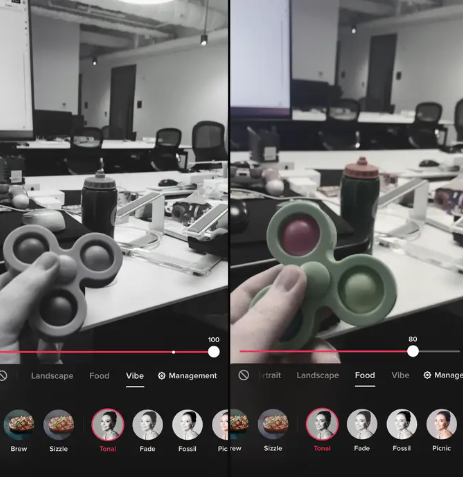
There are many black and white filters on TikTok, but Tonal is the most popular. It sits in the Vibe category, which is mostly about making your videos feel like a cinematic masterpiece. It's gained popularity because it makes your videos look like they're straight out of the 1960s, that typical vintage look many creators used to chase with apps like Retrica back in 2013. From lip syncing to old classic songs to recreating iconic vintage looks, the Tonal filter has real potential to get you views and likes.
3. Forest
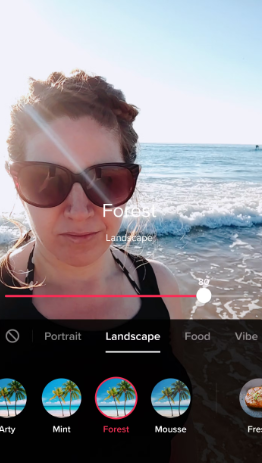
This filter saturates warm colors in the background. As the name suggests, it creates a forest-like setting in the video. You'll find it in the landscape category. If you have trouble locating it, go to "manage" and tick the box next to it.
4. California
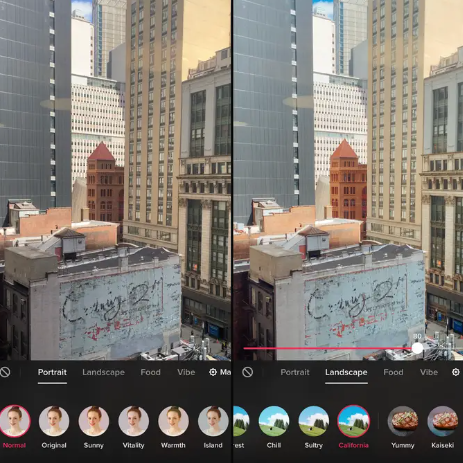
California is another landscape filter best used outdoors. If you're recording travel videos, we highly recommend this one. It makes colors a bit more punchy and brings life to dull buildings, with a warm, sun-drenched feel that works especially well for lifestyle content.
5. Cozy
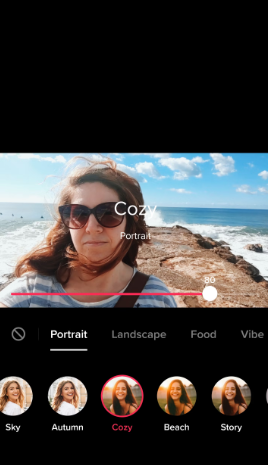
If you're into warm aesthetics, this filter is the perfect choice. Cozy can make anything around you look blissful and dreamy, creating an illusion of golden hour light. There's been a real surge in soft, warm aesthetics in recent years, and that's boosted the usage of this filter too. It enhances contrast and gives your footage a cool, bluish tint. You'll find it in the portrait category.
6. Beach

Beach is found in the portrait category and shares some similarity with Cozy. It gives a lovely warm, orange glow that makes light blues look especially soft. In some cases, darker or shadowy areas can look a little noisy due to the increased saturation, so it works best in well-lit footage.
7. G6
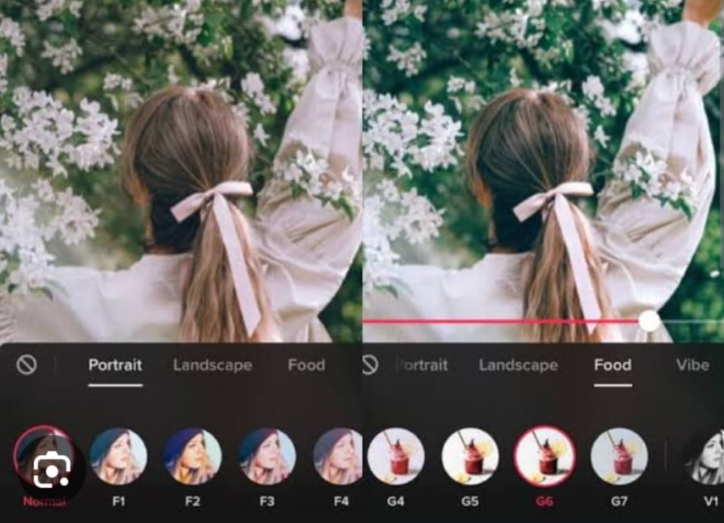
If you're into food content, G6 is a genuinely popular filter worth knowing. It's labeled under the Food category, so it's easy to find, and it gives your videos a vintage, retro touch. You can adjust the intensity to taste.
8. Fantasy
Found under the Vibe category, the V11 filter is commonly known as "Fantasy." It's especially popular among Gen Z creators. Unlike the filters covered so far, Fantasy carries a pinkish tone and makes dark eyes appear lighter in shade.
9. S1
Next up is the S1 filter. It gives your videos a hint of a classic Polaroid look, boosting exposure and toning down warmth for a timeless effect. You'll find it under the portrait category.
10. Caramel
Caramel smooths selfies or videos and gives you a refreshing, youthful look. It increases warmth and saturation for a sun-kissed finish, and it's a portrait filter too, one of several strong options in that category worth exploring.
11. V1
Filters in the Vibe category are all about altering the overall mood of your video, and V1 is the most popular of the bunch. It gives your content a vintage look. You can go fully black and white, or dial the effect down to around 80% to let some color through.
12. V5
This one's a personal favorite. V5 is the best filter on TikTok for a Polaroid theme, ideal for capturing cherished moments, a birthday, a fun night out, and turning them into stunning visual memories.
13. Beauty Mode
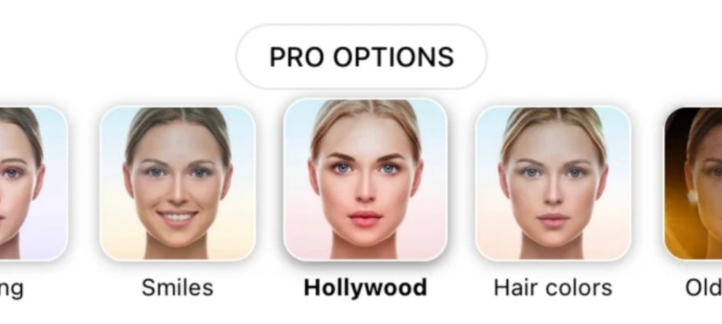
Here's the most popular filter on TikTok: Beauty Mode. It's everyone's favorite, and for good reason. It makes your videos look flawlessly good, almost professional, very conveniently. Unlike most Snapchat filters, it doesn't overly alter saturation, exposure, or brightness, so it doesn't look cheap or fake. It smooths skin and enhances facial features while keeping things looking natural, no need to worry about looking artificial.
With that, our list comes to an end.
Where to Find Filters on TikTok
If you're new to TikTok marketing and the app overall, here's how to locate the TikTok filter library:
- Open the TikTok app
- Tap the (+) button to create a video
- Choose the filter icon in the upper right corner of the screen
- Select a filter
- Upload the video by clicking the checkmark icon
Looking for the Best TikTok Editing Services?
If you have a business or a brand, there's no reason not to promote it on TikTok. It's one of the best channels to maximize your reach. That said, TikTok is a saturated platform, engagement rates across the app have been trending down as competition for attention grows, and standing out takes more than picking the right filter. To improve your content, here are a few steps worth taking:
a) Work with a dedicated TikTok editor. Our TikTok video editing service pairs you with a dedicated editor, fast turnaround, and everything you need to keep your content consistent and on-brand. You'll get storage, a project management tool, and a dedicated video editor, so you stay in control of the process without doing the editing yourself. For more on what that process looks like day to day, see how to make your TikToks look professional, and if you're curious about pricing, we break it down in how much TikTok video editing services cost.
b) Partner with a TikTok branding service. These are strategies and agencies businesses use to build brand awareness and visibility on the platform:
- Dash Hudson: Specializes in social entertainment marketing software, offering digital and creative solutions to help global brands improve their social entertainment and commerce strategies.
- Byte/Dept: A marketing technology agency with operations in London, New York, and Berlin, specializing in chatbots and augmented reality, and an official Snapchat Lens partner.
- Incubeta: A global marketing agency offering consulting, media services, and creative production solutions.
- VMG Digital: Specializes in sponsored video ads and repurposing existing brand assets for video content, with full-funnel marketing support including mobile optimization.
c) Stay consistent. Engaging with your audience is essential to growing your popularity on TikTok. Along with that, using a dedicated editing partner can save you real time and let you create even more content. It's all about staying active on the platform and consistently putting out great content your audience will love. If you're just getting started with editing on the app itself, our guide on how to edit videos on TikTok covers the basics.
Want your TikToks edited by a real, dedicated editor?
Filters get you part of the way there. A dedicated editor handles the rest, hooks, pacing, captions, and consistency, so your content actually stands out. Get a free test edit to see the quality for yourself.
Book a CallFrequently asked questions
Do TikTok filters actually improve video performance?
Filters can make a video more visually appealing and help it fit a particular aesthetic, but they are not a ranking factor on their own. Watch time, completion rate, and engagement still matter far more than which filter you use.
What is the most popular TikTok filter?
Beauty Mode is widely considered the most used filter on the app, since it smooths and enhances features subtly without looking artificial. Bold Glamour is a close second for its more dramatic, camera-ready effect.
Can I use a filter and still edit my video professionally?
Yes. Filters are applied in the TikTok app itself, while editing, cutting, pacing, captions, and sound design typically happens beforehand in a dedicated editing tool. Most creators and brands do both: edit the raw footage first, then apply a filter as a final touch in the app.
Do TikTok filters work the same way on brand or business accounts?
Yes, filters work the same regardless of account type. What matters more for a business account is consistency: using the same filter or a similar look across videos helps build recognizable, on-brand content over time.