Every creator we work with eventually tries batching. Most of them quit after one round, not because the shoot day was hard, but because the ten videos they filmed turned into ten separate editing fires.
Batching only works if you build the editing side before you build the shoot day. Here's how we structure it with clients at editvideo.io.
Batching works when the editing system is built before the shoot day: a written brief per video, a locked and consistent camera setup, dedicated B-roll blocks, a clean file-naming handoff, and one consolidated round of feedback instead of ten separate conversations.
The Real Bottleneck Isn't the Camera, It's What Happens After
If you've read our YouTube Consistency Report, you already know the channels that grow fastest aren't the ones with the best production value, they're the ones that never miss a week. Batching is the most reliable way to buy yourself that consistency without living in front of a camera every day. It's also, in our experience, the single most common reason a creator's editing pipeline collapses.
Here's the pattern we see constantly: a creator gets excited about batching, blocks out a Saturday, and shoots ten videos in a single sitting.
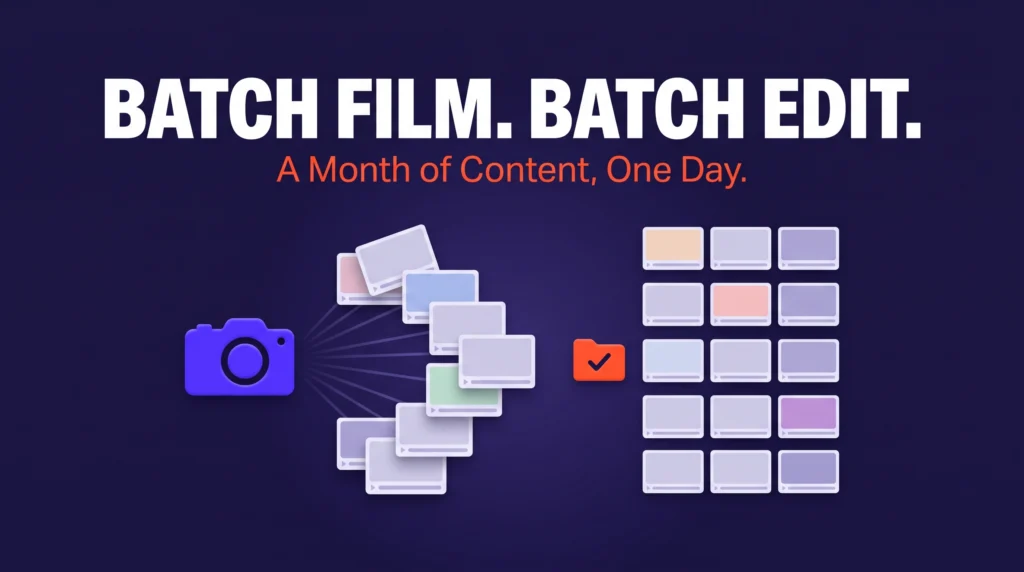
On paper, that's a huge win, a month of content in a day. Then Monday comes, and the editor (sometimes the creator themselves, sometimes a hired editor, sometimes us) opens the footage folder and finds ten unlabeled clips, no shot lists, three different framing setups because the light moved, and a Slack message that just says "edit these like the usual." Ten videos become ten rounds of "wait, which one is this" and "can you also fix."
The batch shoot saved four days of filming and cost two weeks of back-and-forth. That trade is exactly what fuels the creator burnout cycle we've written about before, the sense that content creation is technically more efficient but somehow still exhausting.
The fix isn't shooting less. It's treating the shoot day as the first half of a system that was designed around the editor's workflow, not just the camera's.
Start With the Brief, Not the Camera
We've said this before in our post on writing a brief that actually works, but it matters even more at scale. If one video needs a brief, ten videos shot in the same day need one brief per video, written before the camera turns on, not a verbal summary at the top of the day.
A batch-day brief for each video should answer, in writing, before anyone hits record:
- The hook and thesis: the first line on camera and the one-sentence point of the video, so the editor knows what the cold open should feel like.
- Length and pacing target: is this a 90-second short-form cut, a 10-minute long-form video, or both? Editors pace differently for each, and guessing wrong means a re-cut.
- B-roll and cutaway needs: what should be captured in addition to the talking-head footage, and roughly where it goes.
- CTA and end screen: what the video is driving toward, since that's usually the first thing that gets forgotten by video number seven.
- Reference or template: a link to the closest past video in tone and structure, so the editor has a north star instead of a blank page.
This is the single highest-leverage thing you can do before a batch shoot. Ten short briefs written the night before will save you more editing time than any camera upgrade. Tools like Notion or Trello work fine for this, the format matters far less than the discipline of writing it down per video, before the day starts.
Structure the Shoot Day Around the Edit, Not the Other Way Around
Once the briefs exist, the shoot day itself should be designed to minimize variance between videos, because variance is what makes batch footage slow to edit. A few rules we give clients:
Lock the Setup Once, and Don't Touch It
Framing, lighting, and audio should be identical across all ten videos. Every time you adjust the camera angle "just slightly" between videos, you force the editor to re-learn the frame, re-match color, and re-check audio levels. Set it once at the top of the day and leave it alone.
Shoot in the Same Order as the Brief, and Slate Every Take
A simple clapperboard, a written card, or even just saying the video title out loud at the start of each take gives the editor an instant index. This is a five-second habit that saves an hour of "which video is this" per editing session.
Capture B-Roll in Dedicated Blocks, Not Scattered Throughout
Instead of pausing mid-video to grab a cutaway, batch all your B-roll, desk shots, product close-ups, walking shots, screen recordings, into one block either before or after the talking-head segments. It's faster to shoot and dramatically faster to sort in post, since the editor isn't hunting for stray clips buried inside ten different folders.
Build in a Hard Stop for Organization
The most commonly skipped step in a batch day is the last thirty minutes: renaming files, matching footage to briefs, and uploading. Skip this and you've just moved the disorganization from your camera to your editor's desk, where it costs more, not less, because now someone else has to reconstruct context they didn't have in the room.
Build a Handoff System So Ten Videos Don't Mean Ten Conversations
This is where most batching setups actually fail, not on shoot day, but in the handoff to editing. If every video requires a separate message thread to clarify what's needed, you haven't saved time, you've just delayed the cost and added communication overhead on top of it.
A few structural fixes:
- One shared folder, one naming convention, every time. Something as simple as MM_ProjectName_VideoNumber_Take keeps footage self-explanatory without anyone needing to ask. Cloud tools like Frame.io or a well-organized Google Drive folder work, what matters is that the convention never changes between batches, so your editor, or you, three weeks later, can navigate it on autopilot.
- Attach the brief to the footage, not to a chat message. If the brief lives in Slack or a text thread, it gets lost the moment the conversation moves on. If it lives next to the footage, in the same folder, or linked directly from the file name, it's still there when the editor actually sits down to cut, which might be days after the shoot.
- Batch your feedback the same way you batched your filming. Review all ten rough cuts in one sitting and send one consolidated round of notes, rather than reacting to each video as it lands. Scattered, one-off feedback is what turns a one-day shoot into a two-week editing tail. This is the same logic in reverse: batching isn't just a filming technique, it's a communication discipline that has to apply to every stage after the camera stops rolling.
- Decide in advance what "done" looks like. Give your editor a clear definition of an acceptable first cut, captions on or off, music bed or none, specific outro template, so the first round isn't a guess. Ambiguity here is the number one cause of extra revision rounds, and revision rounds are what quietly erase the time you saved by batching in the first place.
What Actually Breaks a Batch (and How to Catch It Before It Does)
A few failure points show up again and again, and they're worth checking for explicitly:
- Audio drift across takes. Small mic adjustments between videos create inconsistent levels that are painful to normalize later. Check audio once at the top and leave it.
- Inconsistent energy on camera. Video seven of ten is rarely as sharp as video one. Build in short breaks, and don't be afraid to re-shoot the flattest deliveries rather than asking an editor to "fix it in post," they can't fix energy.
- No shot list for B-roll. "I'll grab some extra footage" without a list means you come home short on exactly the cutaways your editor needed.
- Skipping the file offload step. This is the one people cut when they're tired at the end of a long shoot day, and it's the one that costs the most downstream.
- No backup plan for a bad take. If video four falls flat, decide on the spot whether to re-shoot it before moving on, rather than hoping it'll "work in the edit." Editors can trim a slow line, they can't manufacture a delivery that wasn't there.
- Treating every video as equally urgent. Not all ten videos need to go out in the same order they were filmed. Flag which two or three are time-sensitive so your editor can sequence their work instead of defaulting to a first-in, first-out queue that may not match your publishing calendar.
If you can catch these on shoot day, the editing side becomes close to mechanical: consistent footage, a clear brief per video, and a predictable folder structure. That's what actually makes "a month of content in a day" a real efficiency gain rather than a one-time burst that costs you the following two weeks.
The Takeaway
Batching works when the editing system is built first and the shoot day is designed around it: consistent setups, a written brief per video, and a clean handoff. Skip that structure and you've just moved your bottleneck downstream. Get it right, and one day on camera really can produce a month of content without a month of edits.
Want the Editing Side Handled for You?
A dedicated editor at editvideo.io can build your batch-day workflow around briefs, folder structure, and consolidated feedback rounds, so ten videos never turn into ten separate fires.
See How Outsourcing Works →FAQs
Why does batch filming often lead to editing delays?
Batch shoots usually save filming time but create disorganized footage, unlabeled clips, inconsistent setups, no shot lists, that turns one editing session into ten separate back-and-forth conversations.
How do I brief an editor for a batch of videos at once?
Write one short brief per video before the camera turns on, covering the hook, length and pacing target, B-roll needs, CTA, and a reference to a past video in the same style.
Should I give feedback on batch videos one at a time?
No, review all rough cuts in one sitting and send a single consolidated round of notes. Reacting to each video separately is what turns a one-day shoot into weeks of back-and-forth.